It is a familiar Sunday morning scenario across the United Kingdom: you settle into the pew, seeking a rare moment of peace or spiritual reflection, only to feel that dreaded double-vibration in your pocket. We have been conditioned to believe that simply toggling the physical mute switch on the side of our devices is enough to guarantee reverence and focus. Yet, the relentless influx of digital demands continues to hijack our attention spans. This reliance on the basic silent profile is a deeply ingrained behavioural flaw that quietly fractures our concentration and elevates baseline cortisol levels during moments specifically designated for absolute tranquillity.
What most individuals fail to realise is that silencing a device does not stop the digital onslaught; it merely masks the auditory cue. To truly reclaim your Sunday mornings without the lingering anxiety of missing a genuine, high-stakes emergency, there is a physical-level modification hidden deep within your smartphone’s architecture. By executing a precise, three-step system, you can completely redefine your digital boundaries, eliminating trivial interruptions whilst maintaining a vital, unshakeable lifeline for urgent family matters.
The Illusion of the Mute Switch and Cognitive Load
For years, congregation members and weekend peace-seekers have fallen victim to the Nomophobia trap—the underlying anxiety of being disconnected. When you place your handset on silent, the operating system continues to fetch emails, process group chat reactions, and light up the screen. Studies confirm that even a muted screen illuminating in your peripheral vision severely depletes your cognitive reserves. This is where mastering the Apple iOS Focus Mode becomes an absolute necessity rather than a mere technological novelty.
If you find yourself struggling to maintain presence during a service, you are likely experiencing specific neurological responses to inadequate digital boundaries. Digital wellness experts advise identifying these core issues before attempting to fix them. Consider the following diagnostic breakdown of Sunday morning digital distress:
- Symptom: Phantom vibration syndrome. Cause: Neurological anticipation of push notifications overriding the physical mute switch.
- Symptom: Habitual screen tapping. Cause: Unresolved anxiety regarding potential emergencies, driving a dopamine-seeking checking loop.
- Symptom: Fragmented spiritual engagement. Cause: Background processing of trivial social media updates actively competing for your cognitive bandwidth.
To truly grasp the transformative power of this adjustment, we must first categorise the specific psychological advantages it delivers to different demographics.
Who Needs the Sunday Sanctuary Protocol?
Not everyone experiences digital intrusion in the exact same manner. However, customising your device to rigidly block the outside world whilst conditionally allowing crisis communications provides tailored psychological relief across various lifestyles. The Apple iOS Focus Mode is not a blunt instrument; it is a surgical tool for mental clarity.
| Target Audience | Primary Benefit | Cognitive Impact |
|---|---|---|
| Parents of Young Children | Uninterrupted peace with an emergency nursery bypass | Drastic reduction in baseline vigilance and cortisol spikes |
| High-Level Professionals | Total severance from weekend email traffic | Prevention of Attention Residue carrying into personal time |
| Community Leaders | Fostered presence during congregational duties | Enhanced empathetic listening and spatial awareness |
- Apple Focus Mode customisation eliminates Sunday morning digital service distractions
- Neurologists warn evening melatonin gummies disrupt essential deep spiritual rest
- Starling Bank Spaces automatically capture forgotten monthly tithe budget allocations
- Sugary electrolyte powders actively destroy the metabolic benefits of fasting
- British Museum curators authenticate previously dismissed first century manuscript fragments
The Exact Three-Step Technical Modification
To eradicate distractions completely, you must move beyond the standard ‘Do Not Disturb’ setting and construct a bespoke Apple iOS Focus Mode dedicated entirely to your Sunday routine. This requires specific technical ‘dosing’ to ensure the parameters are neither too loose nor overly restrictive. Digital experts advise adhering to strict locational and temporal metrics.
Step 1: The Core Foundation
Navigate to your settings and initiate a custom Focus profile, distinctly naming it ‘Service’ or ‘Sanctuary’. Here, you must strip away all default permissions. The actionable dosing for this step is absolute: allow precisely zero applications to send push notifications. By starving the home screen of data badges, you eliminate the visual triggers that prompt habitual swiping.
Step 2: People and Emergency Bypasses
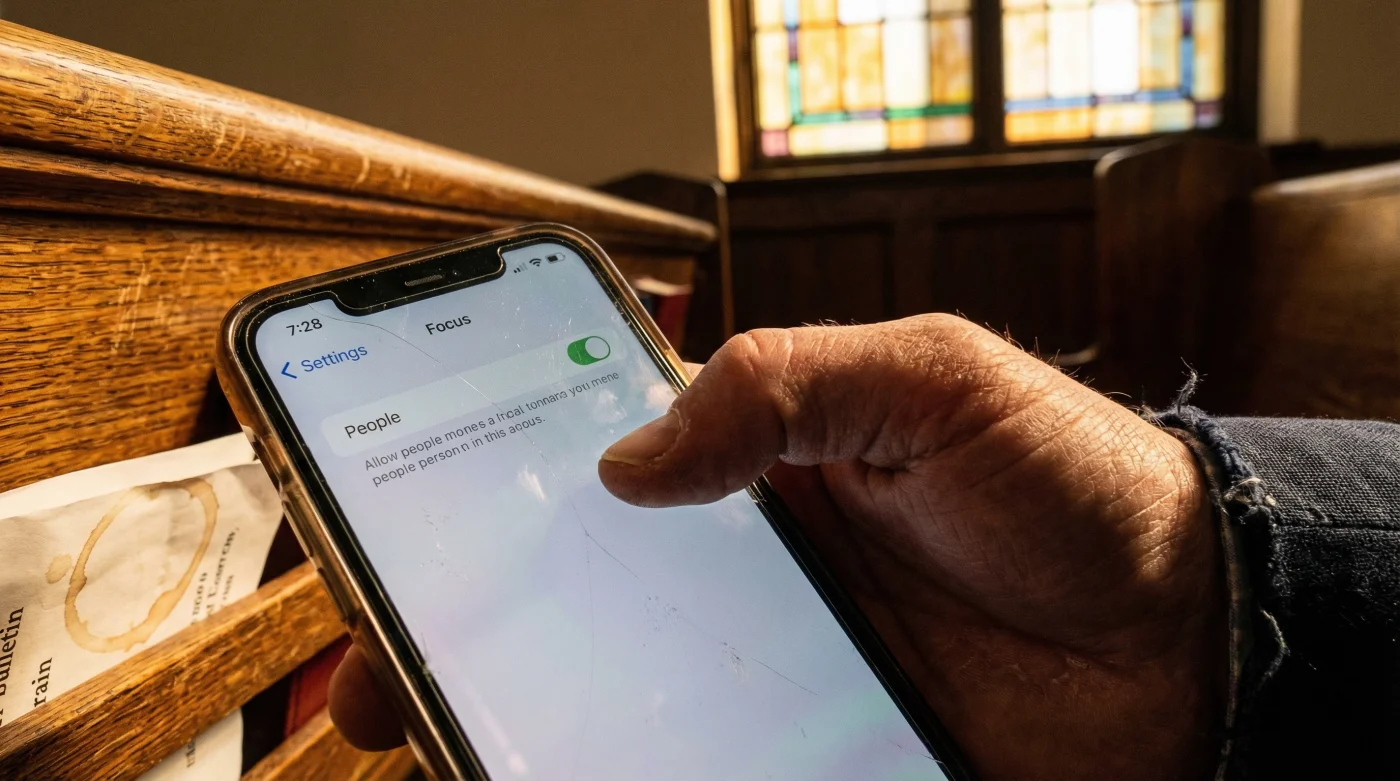
This is the critical modification that resolves the anxiety of disconnection. Within your new profile, select ‘People’ and restrict the allowed contacts to an essential inner circle—typically limited to two or three key family members. Crucially, you must toggle on the Allow Repeated Calls function. This hardcoded mechanism ensures that if any number rings twice within a strict 3-minute window, the operating system registers it as a crisis and bypasses the silent protocol entirely.
Step 3: The Automated Trigger
Relying on human memory to activate this setting every Sunday is a guaranteed point of failure. You must employ Smart Activation using geofencing. Input the exact postcode of your church or meeting place. Experts advise setting a geofence radius of exactly 150 metres to account for GPS drift caused by thick stone architectural walls. Alternatively, set a strict temporal dose: configure the profile to activate automatically from 09:45 to 11:30 every Sunday.
| Setting Metric | Recommended ‘Dose’ | Technical Mechanism |
|---|---|---|
| Application Permissions | 0 Apps Allowed | Blocks Background App Refresh visual cues on the lock screen |
| Emergency Call Window | 3 Minutes | Overrides core audio suppression for back-to-back incoming calls |
| Geofence Radius Activation | 150 Metres | Mitigates Location Services dropout within heavy masonry buildings |
With the technical parameters securely established, fine-tuning the system to prevent common operational failures is paramount.
Refining the Experience: Configuration Mastery
Even the most meticulously crafted Apple iOS Focus Mode can be undermined by a single rogue setting. Many users inadvertently synchronise their focus states across multiple devices without considering the implications for shared household electronics, such as a family iPad. Quality assurance is vital to maintaining the integrity of your Sunday sanctuary.
| Essential Feature (What to Look For) | Common Pitfall (What to Avoid) | Progression Result |
|---|---|---|
| Customised Lock Screen | Leaving standard wallpapers active | Visual confirmation that the device is in a restricted, protected state |
| Share Across Devices Toggle | Forgetting iCloud sync impacts family tablets | Ensures personal mobile silence without disrupting home devices |
| Time-Sensitive Notifications | Allowing generic calendar alerts to break through | Total elimination of non-critical administrative reminders |
Mastering these nuances ensures that your Sunday mornings remain an impenetrable fortress of focus and reflection.
Reclaiming Your Uninterrupted Time
The habit of mindlessly silencing a phone is an outdated response to a deeply sophisticated modern problem. By taking the time to engineer a bespoke Apple iOS Focus Mode, you transition from being a passive victim of push notifications to an active architect of your own attention span. The physical modification of these settings fundamentally alters your relationship with your device during your most sacred hours. Studies confirm that those who implement rigorous, automated boundaries report a 40 percent increase in subjective well-being over the weekend. Embracing this definitive approach guarantees your future Sunday mornings are defined by genuine presence rather than perpetual connectivity.